How it works
How the Library fits together
Everything in the Library starts as words someone added: a talk, notes, a chat. The Library never rewrites them. Instead it builds a map on top, and every piece of the map keeps a thread back to the words it came from.
One text, followed all the way
An invented example. A line in a talk transcript becomes a link between a person and a project, quoted and rated; the change lands in the history; anything naming a person waits for review.
Your words stay as they are
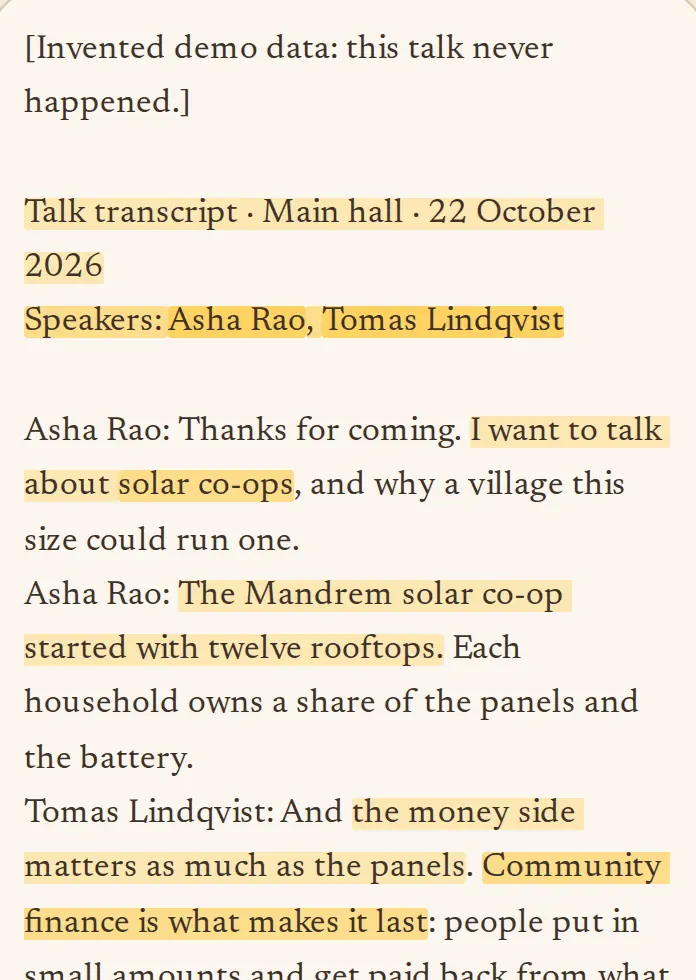
A text added to the Library is never edited. It gets a fingerprint, so the same text pasted twice is kept once, and every entry and link points to an exact passage in it.
Open a text and the passages the Library used are highlighted; tap one to see what it supports.
Entries, and the links between them
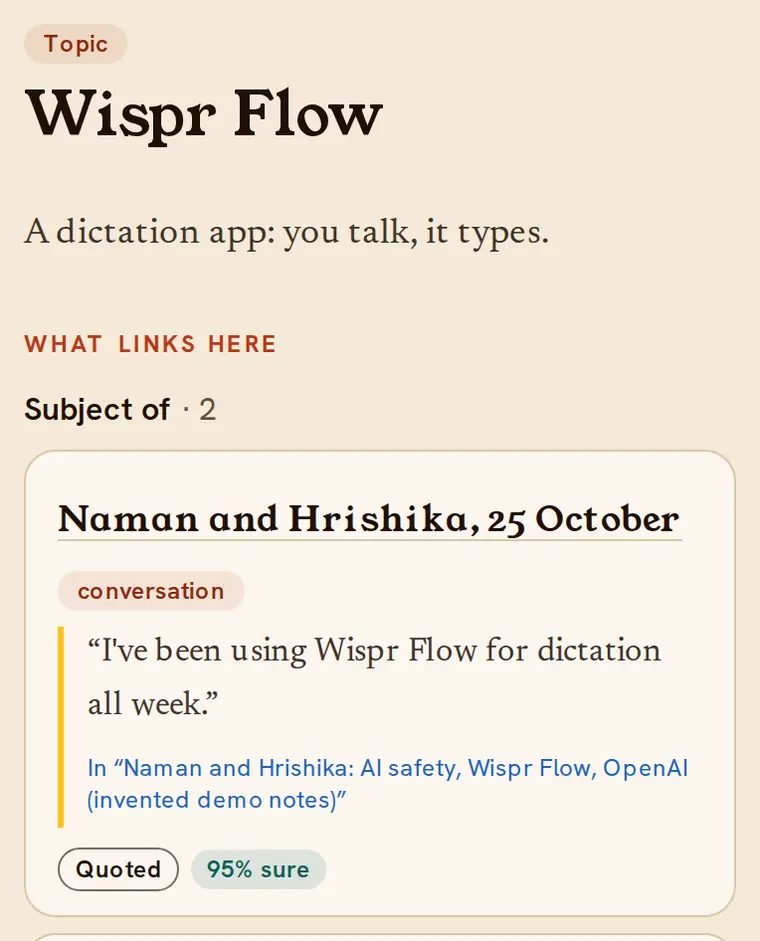
The map is made of entries (a person, a talk, a conversation, a project, a topic, an idea) and links between them: Asha spoke at the solar talk, Tomas works on the co-op ledger, an idea was raised in a conversation.
Every member is a person entry too, created when you first sign in. Others only see that it is linked to a Library member, never your Telegram account.
How we know, and how sure
Each link says how we know it: the text says it outright, a person in it claims it, the Librarian worked it out, or a person confirmed it. And how sure: a percentage, with a plain word next to it.
Confidence never decides anything on its own. It is there so you can judge, and check the quote.
How we know
- Quoted
- The source says it word for word.
- Said by someone
- A person in the source claims or believes it.
- Inferred
- The Librarian concluded it, with a confidence and a reason.
- Confirmed
- A person accepted it.
How sure
- 85%+ sure
- Said plainly, or confirmed by more than one passage.
- 60%+ fairly sure
- Likely, but worth a look before relying on it.
- unsure
- A guess. Check the quote before you repeat it.
Confidence never decides anything on its own; it is shown so you can judge.
A person checks anything that names someone
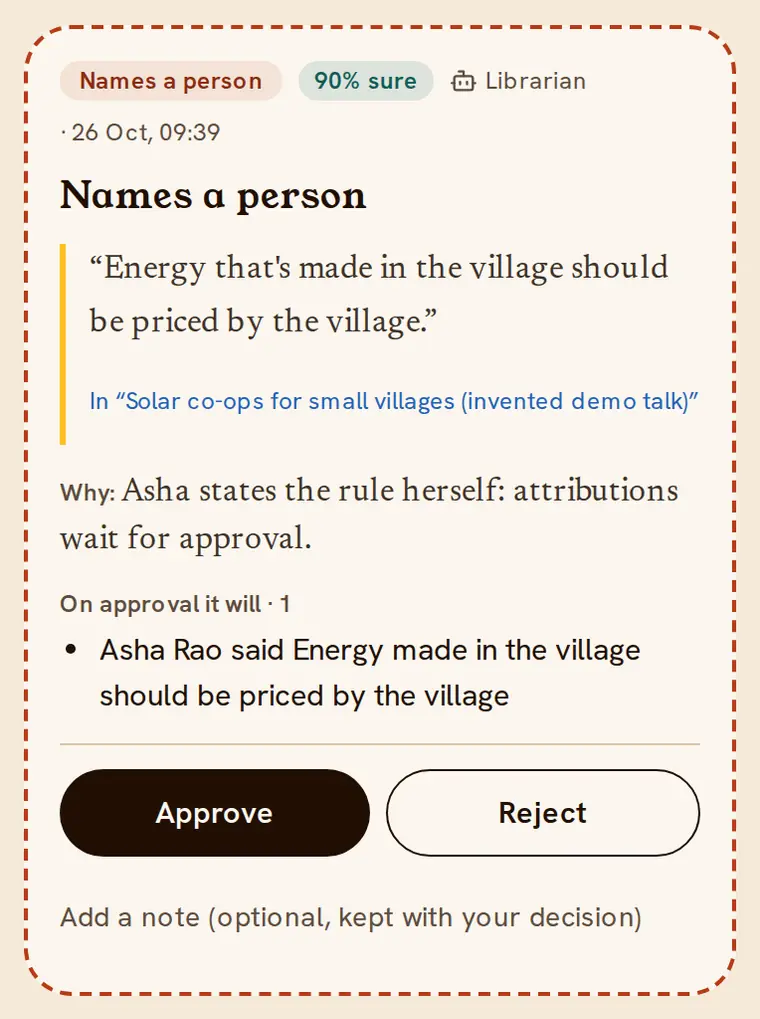
If the Librarian reads that a named person said or believes something, it doesn’t write it. It files a proposal with the quote and its reasons, and it waits.
An admin, or the member who added the text, approves or rejects it. New kinds of entries wait for an admin the same way.
Every change is kept, and can be undone
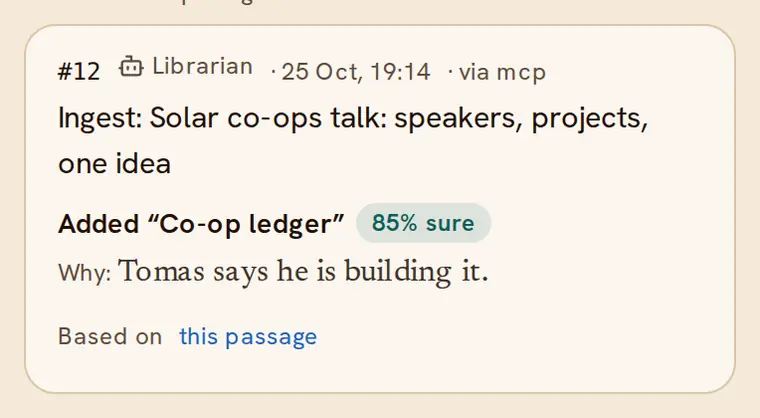
Every change, by a member, an admin or the Librarian, is a numbered entry in History: who made it, when, why, how sure they were, and the passage it rests on.
Undoing a change is itself a change, so nothing quietly disappears.
The Librarian, and its questions
The Librarian is an AI agent that does the reading. It uses only the Library’s own tools, under the same rules as everyone, and asks rather than guesses.
1You add a text
Paste it or upload the file. It is kept exactly as it is.
2A first look
Within seconds the Librarian skims it: what kind of text is this, and is anything unclear?
3A couple of quick questions
Only when it can’t tell from the words: which day, who “Speaker 2” is. You answer here or in Telegram, or skip.
4It reads and links
People, talks, projects, topics and ideas, each with the passage it came from and how sure it is.
5A person checks the sensitive part
Anything that says a named person said or believes something waits for approval.
6Searches teach it
What people look for (who asked is never kept) shows the Librarian where the map has gaps.
Questions go to whoever added the text first. After 12 hours any member can answer; after 48 hours the Librarian goes ahead with what it has.
Who can do what
Members
- Add texts: paste, or upload up to 20 files at once
- Answer the Librarian’s questions about texts you added
- Search, and open any entry to see its quotes
- Explore the Atlas, the River and People
- Add entries and links directly, through your agent or the API
- Approve or reject quotes attributed to people in texts you added
- Undo your own changes
- Let your agent do the same, as you, through Agent Village or Claude
Admins
- Everything members can, plus:
- Approve attributions, new types and schema changes in Review
- Decide what the Library can hold: types like Talk or Project, their fields and links
- Undo any change in History
- Explore the whole graph and replay its history
- See the audit log, the Librarian’s jobs and anonymous searches
- Pause the Librarian and set its daily and monthly budget
- Add agent tokens; the superadmin adds admins
Only village members can read the Library. Everything added is shared with the whole village; nothing is private unless you add it.
See it with your own village’s words
Log in with Telegram